Satu chat. Semua jawapan.
Farm AI ganti tool bertab yang lama: tanya je dalam bahasa biasa (EN atau BM) dan dia baca data platform sebenar anda sebelum jawab. Tengok dia kerja, langkah demi langkah, lepas tu sambung je perbualan.
Untuk Brand
Rancang, tetapkan harga dan report campaign dalam satu chat
Mula sini: 3 langkah untuk value pertama
- 1Buka Farm AI dan minta 5 idea campaign untuk produk anda.
- 2Minta report performance untuk salah satu campaign anda.
- 3Tanya rate dan budget yang sesuai untuk target views anda, lepas tu create campaign.
Kenali workspace Farm AI anda
Farm AI bukan sekadar chat kosong: workspace brand anda datang sekali dengan Context Bar campaign, Workflow stepper, panel Memori dan panduan sisi. Semua papar data sebenar dari server, bukan rekaan.
Termasuk dalam Pro (sehingga 300 mesej Farm AI dan 20 PDF sehari)
- 1
Context Bar kat atas chat tunjuk campaign mana yang tengah dibincangkan. Tukar campaign dari situ dan semua jawapan lepas tu grounded pada campaign tersebut.
- 2
Workflow stepper tunjuk langkah campaign anda (draft, kelulusan, sumber, momen) terus dari status server. Dia tak pernah lebihkan progress: kalau langkah belum siap, dia kekal belum siap.
- 3
Panel Memori simpan nota per campaign dalam 3 jenis: FAKTA (sentiasa dengan sumber), IDEA (dilabel idea, bukan fakta) dan KEPUTUSAN. Farm AI boleh rujuk memori ni bila dia jawab.
- 4
Nak buka panduan ni balik? Tekan je butang panduan dalam workspace: panel sisi terbuka tanpa ganggu chat yang tengah streaming.
Pro tip: Mulakan setiap sesi dengan check Context Bar tunjuk campaign yang betul: jawapan paling tepat bila konteks pun tepat.
Bank Idea: simpan idea, jadikan brief
Simpan idea campaign yang anda suka ke Bank Idea, lepas tu tukar mana-mana idea jadi draft campaign penuh dengan satu klik Jadikan Brief. Draft je: tiada wang bergerak.
Termasuk dalam Pro (sehingga 300 mesej Farm AI dan 20 PDF sehari)
- 1
Dalam panel Memori workspace, cari seksyen Bank Idea. Taip tajuk idea dan tekan Enter untuk simpan, atau simpan terus idea yang Farm AI cadangkan dalam chat.
- 2
Bila dah ready, tekan chip Jadikan Brief pada idea tu. Farm AI jana draft brief penuh untuk anda semak dulu (preview).
- 3
Isi sendiri bahagian duit (rate, budget, platform) dan sahkan. Hasilnya SENTIASA draft campaign: anda masih kena semak, hantar untuk kelulusan, dan admin masih kena luluskan sebelum ia live.
Pro tip: Bank Idea ni global pada akaun anda, bukan terikat pada satu campaign: kumpul idea sepanjang minggu, pilih yang terbaik hujung minggu.
Idea campaign dan konsep hero
Describe produk anda dalam satu ayat je, dan Farm AI akan draft idea content siap-brief, hooks dan angle yang memang tuned untuk short-form video di Malaysia.
Termasuk dalam Pro (sehingga 300 mesej Farm AI dan 20 PDF sehari)
- 1
Buka Farm AI dari sidebar (menu AI Tools) dan taip produk anda plus goal dia, contohnya: "Idea campaign untuk minuman tenaga baru, target gym crowd". Tak pasti nak tanya apa? Chat baru akan buka dengan galeri contoh prompt untuk role anda: tap satu dan ia terus dihantar.
- 2
Perhatikan kad Data sources: Farm AI baca data marketplace sebenar dulu sebelum jawab, dan setiap langkah dapat checkmark bila siap.
- 3
Refine dalam chat yang sama: minta lagi banyak hooks, angle lain, atau draft brief penuh. Tap chip follow-up untuk sambung thread.
Pro tip: Bagi Farm AI satu detail konkrit (harga, tarikh launch, target crowd) dan idea dia terus jadi jauh lebih spesifik.
Report performance dalam bahasa senang
Tanya pasal mana-mana campaign anda dan Farm AI baca nombor sebenar: top clippers, verified views, pace perbelanjaan dan anomali. Dia tak akan reka angka.
Termasuk dalam Pro (sehingga 300 mesej Farm AI dan 20 PDF sehari)
- 1
Tanya "Report performance campaign saya" atau sebut terus nama campaign: "Macam mana Sunrise Energy perform?".
- 2
Farm AI tarik data campaign anda kat server (anda akan nampak "Menganalisis views dan clips..." masa dia kerja) dan jawab dengan nombor sebenar.
- 3
Nak dalam bentuk dokumen? Cakap je "Generate PDF report" dan Farm AI execute task tu live (Get campaign data, Analyze and draft insights, Assemble PDF), lepas tu serahkan kad Performance Report PDF berjenama dengan butang Download. Kad tu kekal dalam chat history, boleh download balik bila-bila.
Pro tip: Setiap angka dalam jawapan datang dari data campaign live anda, so boleh terus paste dalam update untuk stakeholder.
Campaign Kit PDF (satu permintaan, plan penuh)
Farm AI execute satu task perancangan penuh dan serahkan PDF berjenama: overview, brief lengkap dengan do's and don'ts, variasi storyboard scene by scene, 5-6 content angles, arah hook dan caption, plan budget dan CPM yang grounded pada rate pasaran live, dan launch checklist.
Termasuk dalam Pro (sehingga 300 mesej Farm AI dan 20 PDF sehari)
- 1
Cakap "Buatkan campaign kit untuk produk sambal saya, objektif awareness, budget RM800 ke RM1500". Kalau produk atau objektif tak dinyatakan, Farm AI tanya 1-2 soalan pendek dulu.
- 2
Tengok langkah live (Check marketplace rates, Draft campaign plan with AI, Assemble PDF), lepas tu download kit dari kad. Projection guna rate median marketplace sebenar, dikira kat server. Kalau marketplace belum ada rate live, Farm AI tolak dengan jujur instead of reka angka: cuba lagi bila dah ada campaign live.
Pro tip: Kit ni plan, bukan campaign live - bahagian duit kekal manual dan setiap campaign tetap kena lulus admin.
Panduan budget dan rate
Grounded pada rate marketplace live: berapa RM per 1,000 views yang kompetitif, dan berapa budget yang diperlukan untuk target views anda.
Termasuk dalam Pro (sehingga 300 mesej Farm AI dan 20 PDF sehari)
- 1
Tanya "Berapa budget sesuai untuk 100k views?" atau "RM12 per 1k ni kompetitif ke sekarang?".
- 2
Farm AI check statistik marketplace semasa ("Menyemak kadar pasaran...") dan tunjuk pengiraan berbanding rate campaign sebenar.
Pro tip: Bahagian duit pada campaign sentiasa manual: Farm AI bagi nasihat, anda yang decide, dan setiap campaign tetap kena lulus admin.
Sumber video dan momen verified
Paste link video sumber anda, sistem import transkrip sebenar kat background, lepas tu anda bina momen candidate dan hantar untuk semakan QA admin. Momen yang lulus dapat status VERIFIED dan dibuka kepada clipper dengan evidence link.
Termasuk dalam Pro (sehingga 300 mesej Farm AI dan 20 PDF sehari)
- 1
Buka page campaign anda, seksyen Sumber. Paste link YouTube video anda (sahkan hak milik), lepas tu tekan Sahkan import. Import jalan kat background: anda nampak status live bertukar dari Dalam giliran ke Sedang diproses ke Diimport. Tak payah tunggu kat page tu.
- 2
Kalau import gagal, sebabnya dipaparkan jujur: contohnya video takde captions (takde apa nak dianalisis). Boleh tekan Cuba semula, maksimum 3 percubaan. Lepas tu statusnya Gagal kekal dan anda kena hubungi admin atau guna video lain.
- 3
Lepas import siap, tekan Bina momen: AI baca transkrip sebenar dan cadangkan momen candidate (petikan dengan timestamp). Hanya analisis yang BERJAYA makan kuota harian anda: yang gagal, slot dikembalikan.
- 4
Semak setiap candidate, buang yang tak sesuai, dan tekan Hantar untuk QA pada yang anda nak. Admin akan semak petikan tu terhadap transkrip sebenar sebelum lulus.
- 5
Maksud setiap status: candidate (cadangan AI, belum disemak), needs_human_review (dalam queue QA admin), needs_evidence (ditolak dengan sebab, boleh baiki dan hantar semula), verified (lulus QA, kini visible kepada clipper dengan evidence link), blocked (ditolak kekal).
Pro tip: Anda tak boleh luluskan momen sendiri, dan itu memang sengaja: status verified hanya boleh diberi oleh admin lepas semakan manusia. Sebab tu lah clipper percaya pada momen anda.
Tukar thumbnail lepas campaign live
Campaign yang dah published tak boleh diedit terus, tapi anda boleh request tukar nama, brief atau thumbnail melalui kelulusan admin. Yang live tak berubah selagi admin belum lulus.
Percuma, tiada AI terlibat
- 1
Kat page campaign, tekan Request edit (name / brief / thumbnail). Dalam borang, tekan Tukar thumbnail dan upload imej baru (imej anda sendiri je), atau tekan Buang thumbnail untuk balik kepada cover default.
- 2
Hantar request. Banner kuning tunjuk request tengah menunggu, dengan preview thumbnail yang dicadangkan. Thumbnail live kekal yang lama sampai admin lulus.
- 3
Admin nampak preview lama dan baru sebelah-menyebelah sebelum buat keputusan. Kalau ditolak, sebabnya dipaparkan kat page campaign anda dan thumbnail kekal asal.
Pro tip: Rate, budget dan platform kekal terkunci lepas publish, selamanya: hanya persembahan (nama, brief, thumbnail) boleh direquest ubah, dan semuanya melalui admin.
Untuk Clipper
Menang campaign lebih cepat dengan Farm AI
Mula sini: 3 langkah untuk value pertama
- 1Buka Farm AI dan suruh dia carikan campaign yang sesuai dengan anda.
- 2Baca brief kat page campaign: rate, hashtags, minimum views.
- 3Minta Farm AI bagi hooks untuk campaign yang anda join, shoot video, submit link.
Cari campaign yang berbaloi untuk join
Farm AI scan semua campaign aktif (rate, baki budget, platform) dan match dengan stats serta style anda.
Termasuk dalam Pro (sehingga 300 mesej Farm AI dan 20 PDF sehari)
- 1
Tanya "Cari campaign untuk saya" atau "Campaign mana bayar paling best untuk TikTok sekarang?".
- 2
Farm AI senaraikan campaign aktif sebenar dengan rate, baki budget dan platform, dan tandakan mana yang dah ada clip moment map siap.
- 3
Buka page campaign untuk join, sama macam biasa. Farm AI bantu buat keputusan, page campaign yang muktamadkan.
Pro tip: Bagitahu Farm AI niche dan purata views anda: kualiti match terus naik sebab dia banding anda dengan data campaign sebenar.
Analisis video campaign (YouTube)
Farm AI baca captions sebenar video sumber YouTube sesebuah campaign dan cadangkan cut yang tepat dengan timestamps, hooks, captions dan nota pacing. Hanya jalan untuk footage campaign aktif yang anda dah JOIN.
Termasuk dalam Pro (sehingga 300 mesej Farm AI dan 20 PDF sehari)
- 1
Join campaign dulu, lepas tu paste link YouTube footage tu dalam chat, atau tanya je "Analisis video campaign Sunrise".
- 2
Farm AI baca transcript video ("Membaca transcript video..."), analisis kandungan dan pilih 5 hingga 10 momen paling kuat: setiap satu dengan julat MM:SS-MM:SS yang tepat, kenapa ia menjadi, satu hook, caption siap guna dengan hashtag wajib dan nota pacing ikut platform.
- 3
Lepas tu boleh minta clip pack PDF: jadual suggested cuts tu ikut sekali dalam PDF, senang nak buka masa editing.
Pro tip: Timestamps datang terus dari captions video - AI tak akan reka. Kalau video takde captions, dia akan cakap jujur "cannot analyze" instead of buat-buat tahu.
Hooks dan captions untuk brief
Hooks yang buat orang berhenti scroll dan captions siap guna, tuned pada brief campaign dan hashtag wajib dia.
Termasuk dalam Pro (sehingga 300 mesej Farm AI dan 20 PDF sehari)
- 1
Tanya "Bagi hook untuk campaign yang saya join" atau sebut nama: "10 hooks untuk campaign Sunrise".
- 2
Farm AI baca brief sebenar dulu ("Membaca brief campaign...") so hooks dia hormat hashtag wajib dan do's and don'ts brand tu.
- 3
Copy yang anda suka, lepas tu iterate dalam chat: "lagi aggressive", "dalam Manglish", "pendekkan".
Pro tip: Hooks ikut ClippersFarm Virality Playbook: hook tak boleh janji lebih dari apa yang clip tu deliver.
Coaching performance
Bacaan jujur tentang sejarah submission anda: apa yang jalan, apa yang tak, dan 3 langkah seterusnya. Kena ada data sebenar baru boleh coach.
Termasuk dalam Pro (sehingga 300 mesej Farm AI dan 20 PDF sehari)
- 1
Tanya "Macam mana nak naikkan views saya?" dan Farm AI baca stats submission anda plus benchmark marketplace.
- 2
Kalau anda baru sangat, dia cakap terus terang dan bagi panduan starter instead of reka analisis.
Pro tip: Tanya balik lepas setiap beberapa submission: coaching makin tajam bila history sebenar anda makin banyak.
Clip Pack PDF untuk campaign
PDF berjenama yang boleh didownload dan dibuka masa editing: idea clip, hooks jujur, captions siap guna dan blok hashtag yang tepat (hashtag wajib di-enforce kat server so takde yang kena auto-reject).
Termasuk dalam Pro (sehingga 300 mesej Farm AI dan 20 PDF sehari)
- 1
Cakap "Generate clip pack untuk campaign Fishon" - Farm AI baca brief sebenar, draft idea, susun PDF dan tunjuk kad dengan butang Download.
- 2
Kalau brand ada attach video sumber, pack tu sekali include clip moment map (timestamps plus kenapa setiap momen tu menjadi).
Pro tip: Kad tu kekal dalam chat history anda - download balik pack tu bila-bila dari drawer History.
Peta momen clip dalam chat
Bila brand attach video sumber, sistem pre-analyze video tu jadi momen clippable yang bertimestamp. Farm AI boleh bacakan map tu untuk anda dalam chat.
Tengok memang free, sentiasa
- 1
Tanya "Ada moment map untuk campaign X?" dan Farm AI buka video campaign yang dah dianalisis ("Membuka peta momen clip...").
- 2
Analisis penuh yang sama pun ada kat page detail campaign, dalam seksyen AI Clip Finder, betul-betul kat tempat anda join dan submit.
Pro tip: Analisis dijana sistem masa brand save campaign: takde apa nak trigger, takde apa nak bayar.
Momen VERIFIED: bukti, bukan agakan
Sesetengah campaign sekarang ada momen berlencana VERIFIED: petikan video sumber yang dah disemak dan diluluskan oleh admin manusia, lengkap dengan evidence link yang lompat terus ke saat tepat dalam video.
Percuma untuk campaign yang anda join
- 1
Tanya Farm AI "Ada tak verified moments untuk campaign saya?" dan dia senaraikan momen verified dengan kad bukti. Setiap kad ada link sumber: klik dan video terbuka tepat pada timestamp momen tu.
- 2
Momen verified pun muncul dalam work pack dan clip pack anda, sedia untuk dibuka masa editing.
- 3
Masa submit clip pada campaign yang ada sumber, anda boleh tag momen verified mana yang clip anda guna: brand nampak sumber mana yang perform, dan anda tunjuk kerja anda memang grounded.
Pro tip: Kenapa boleh percaya: setiap momen verified wajib lepas rantaian penuh (transkrip sebenar video, petikan yang match transkrip, dan kelulusan admin manusia - brand tak boleh lulus momen sendiri). Kalau takde momen verified, Farm AI cakap takde: dia tak akan reka.
Memori campaign dan Checker sebelum submit
Workspace clipper anda ada panel Memori (nota per campaign: fakta, idea, keputusan) dan Checker yang semak clip anda terhadap peraturan campaign SEBELUM anda submit.
Termasuk dalam Pro (sehingga 300 mesej Farm AI dan 20 PDF sehari)
- 1
Panel Memori simpan nota anda per campaign dalam 3 jenis berlabel: FAKTA (sentiasa dengan sumber), IDEA (dilabel idea, tak akan dipersembahkan sebagai fakta) dan KEPUTUSAN. Farm AI rujuk memori ni bila dia jawab.
- 2
Sebelum submit, minta semakan: "Semak clip saya untuk campaign X". Checker jalankan semakan deterministik kat server (hashtag wajib, platform, peraturan brief) dan bagi verdict jujur: SEDIA, PERHATIAN atau MASALAH, baris demi baris.
- 3
Checker ni nasihat je: dia tak block submission anda, tapi MASALAH yang dibiarkan selalunya berakhir dengan rejection. Baiki dulu, submit kemudian.
Pro tip: Jadikan Checker refleks terakhir sebelum setiap submit: 10 saat semakan boleh selamatkan satu clip dari auto-reject sebab hashtag wajib tertinggal.
Trial, limit dan harga
Fine print yang jujur, sama macam platform enforce.
Ready nak cuba?
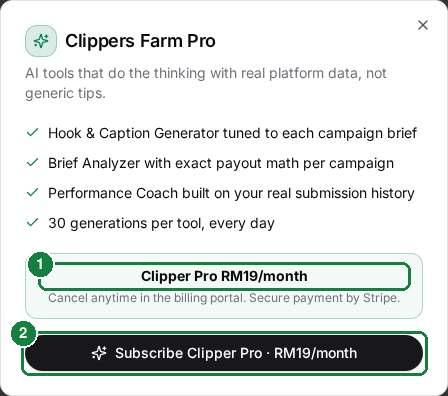
5 mesej Farm AI percuma plus 1 download PDF percuma untuk setiap akaun baru. Tak perlu kad untuk mula.